Your playlist,
beautifully on your TV.
Puls is a fast, clean player for your own M3U or Xtream playlist. Live TV with a full guide, plus movies and series, all in one simple app.
- No account
- No card for the trial
- Set up from your phone
Puls is a media player only. It includes no channels, streams or content. You provide your own playlist from your own provider. No video passes through our servers. Puls is not affiliated with any content provider and does not endorse the use of illegal or unlicensed sources. A paid plan unlocks app features only, never content. You are responsible for having the rights to what you play.
Up and running in a minute
-
Install Puls on your TV
Every install starts with a 7-day free trial with everything unlocked.
-
Scan the code with your phone
Paste your M3U link or Xtream login on your phone. No typing with the remote.
-
Start watching
Your channels, guide, movies and series load on the TV automatically.
Coming soon to your TV's app store
Puls is on its way to the official app stores for Android TV, LG and Samsung TVs. Just search for "Puls Player" on your TV.
-
Google Play
Android TV and Google TV
Coming soon -
LG Content Store
LG TVs running webOS
Coming soon -
Samsung Smart TV Apps
Samsung TVs running Tizen
Coming soon
Everything in one tidy place
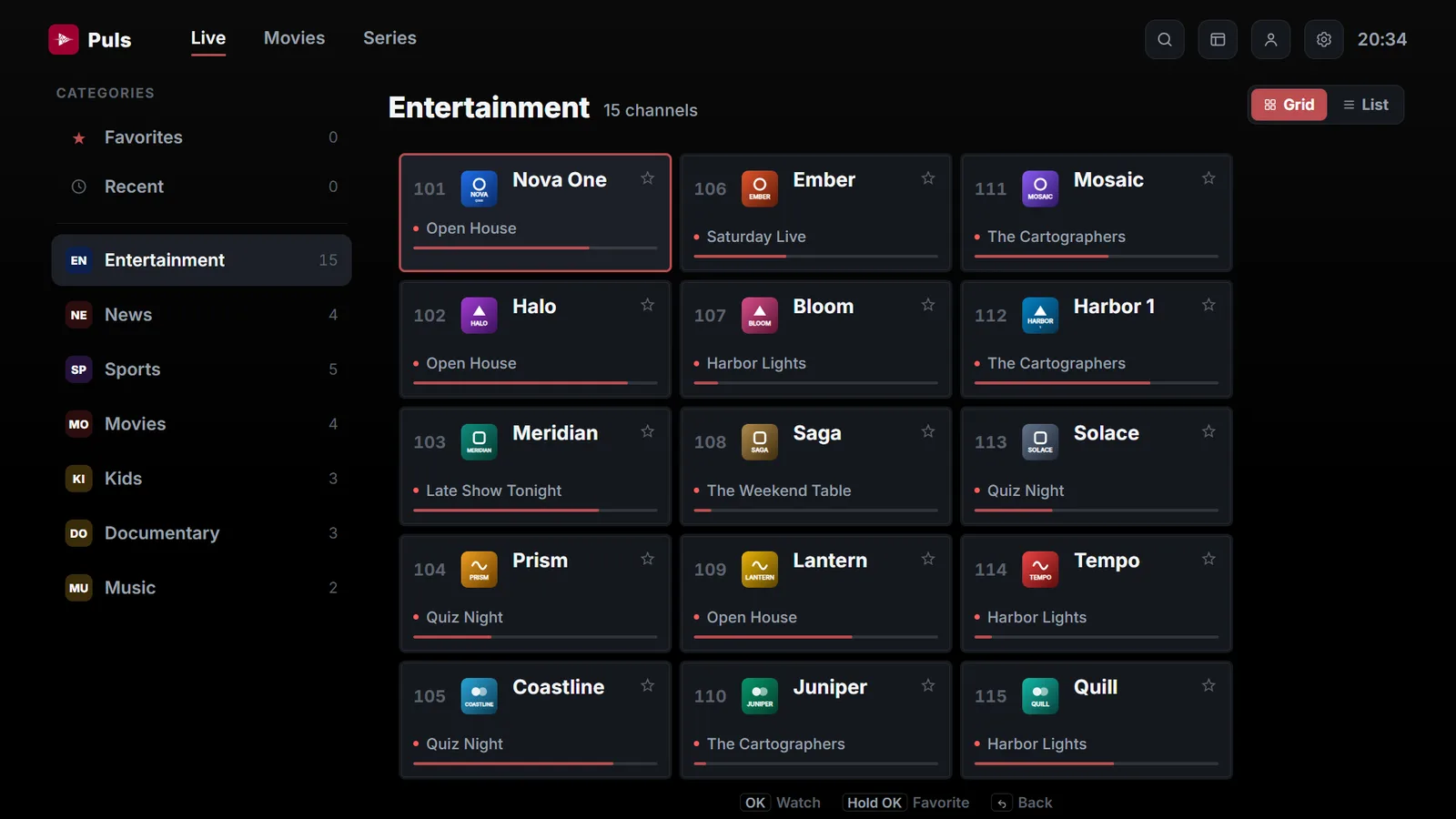
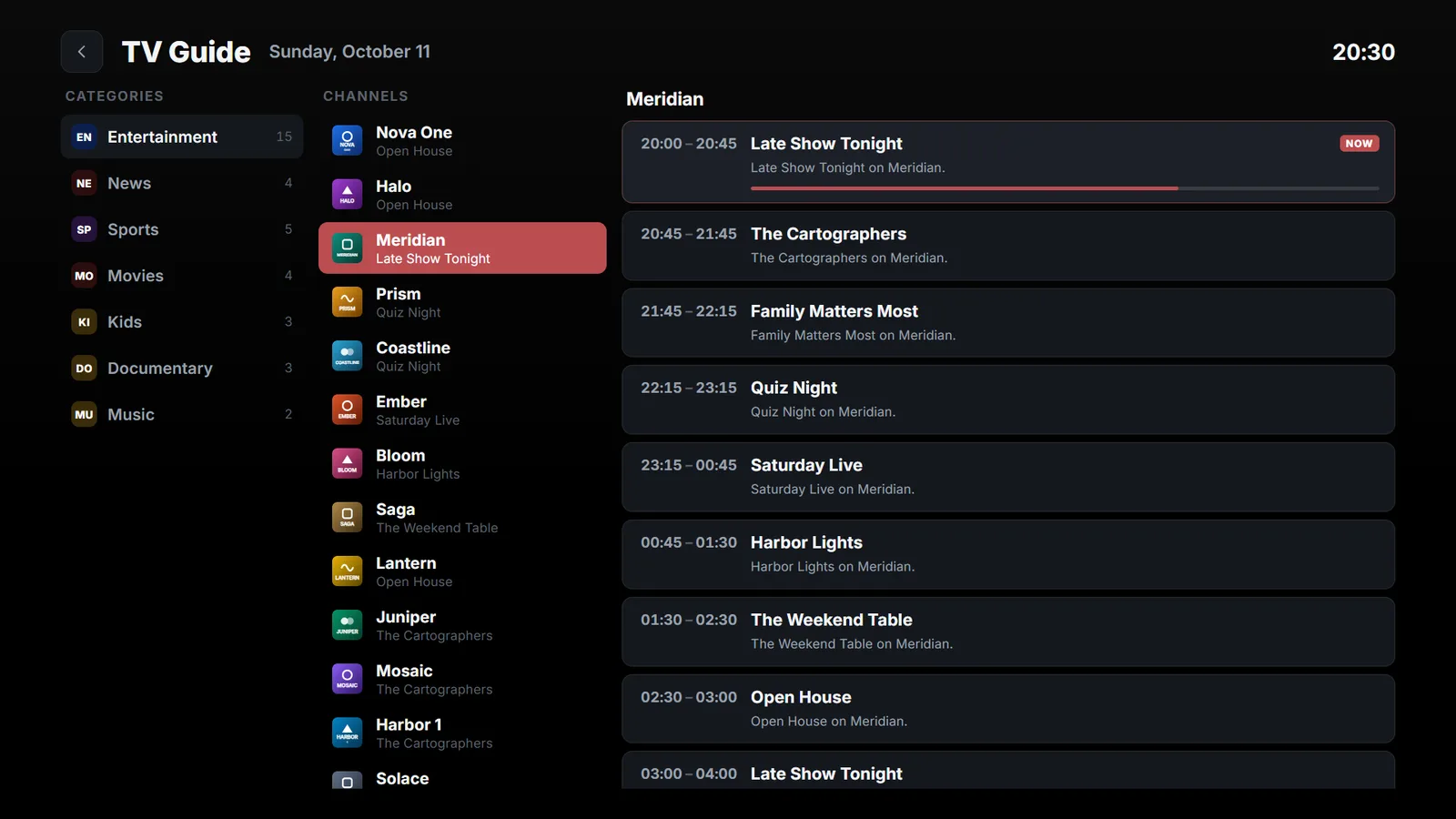
Live TV, with the guide built in
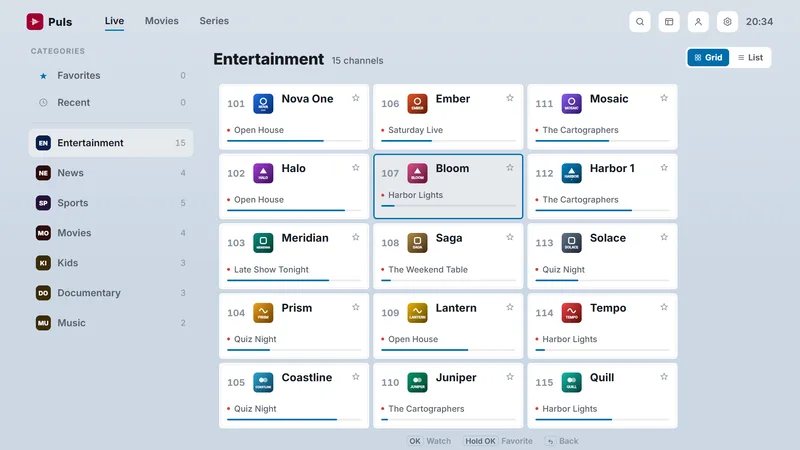
Browse channels by category and see what's on now at a glance. Open the TV guide to see what's coming up next.
- Categories, favourites and recently watched
- Type a channel number, just like a regular TV
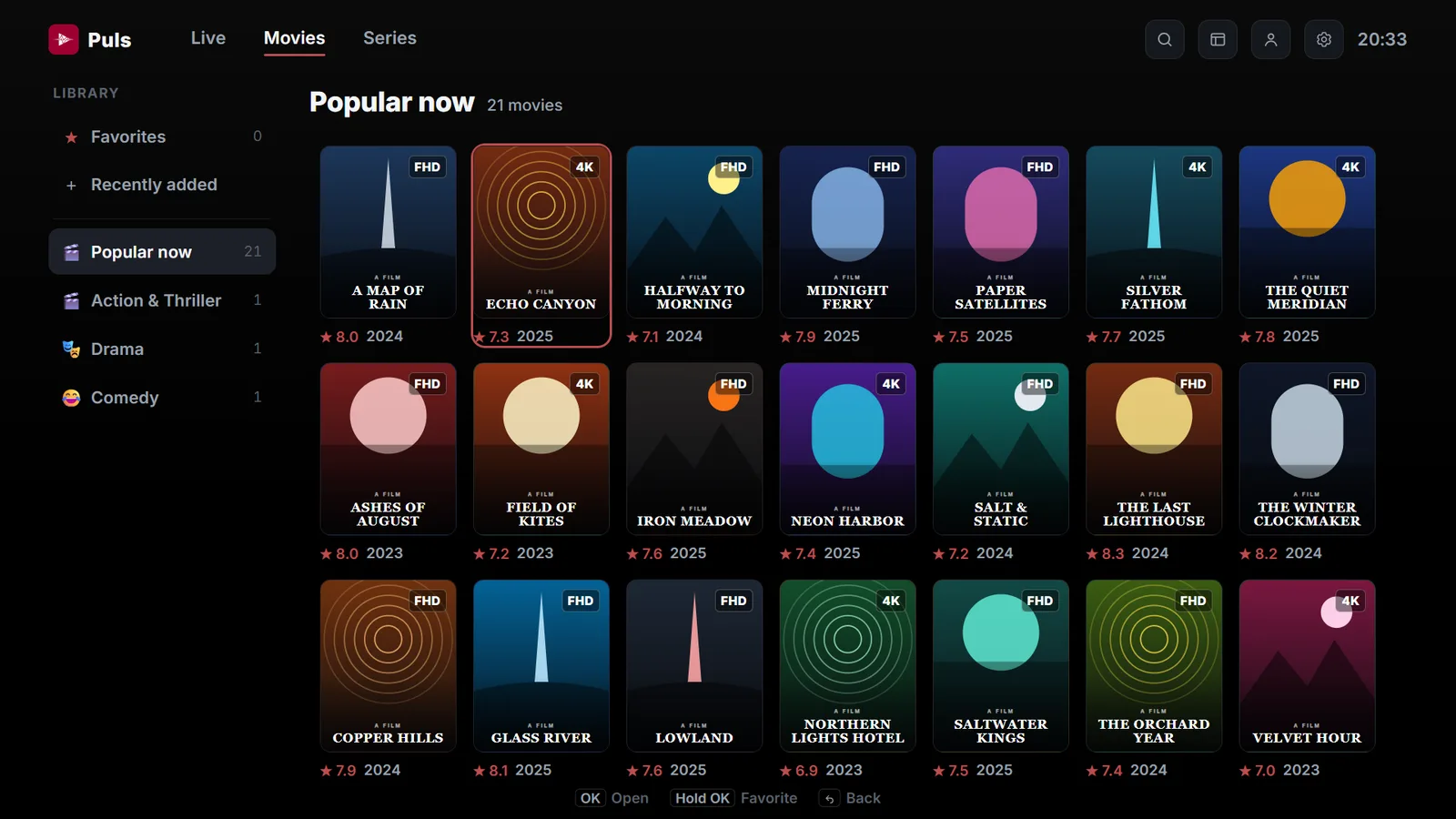
Movies and series, neatly shelved
Posters, ratings and seasons at a glance. Stop any time and pick up exactly where you left off.
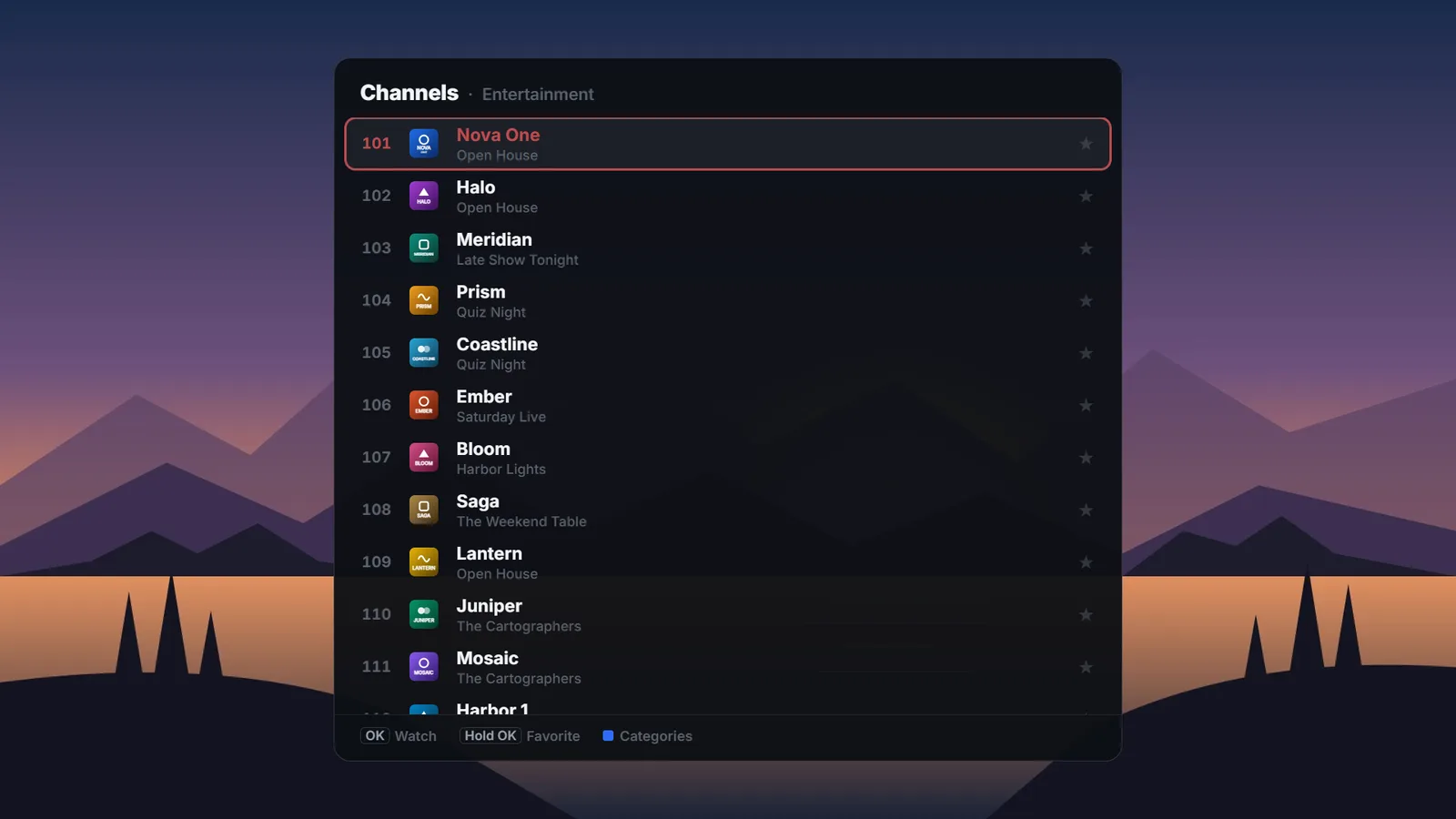
Change channel without leaving the picture
Press OK while you watch to bring up the channel list. Hold OK on any channel to add it to your favourites.
Make it yours
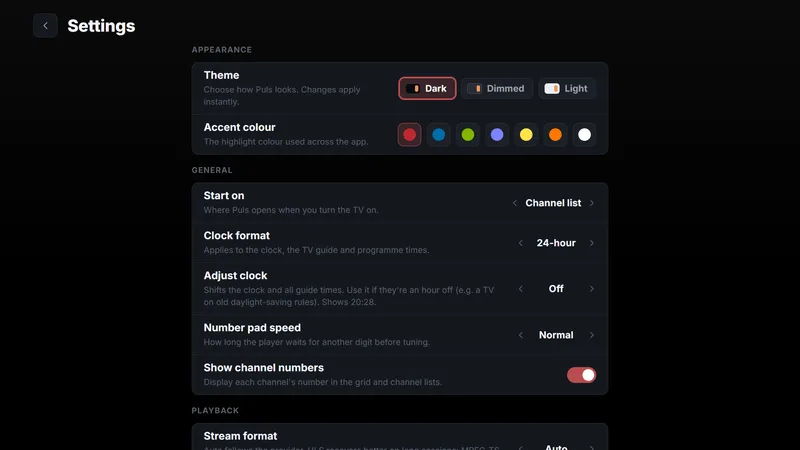
Choose a dark, dimmed or light theme and one of seven accent colours to suit your room.
Search everything
Find a channel, movie or series in a few presses.
More than one playlist
Add several playlists and switch between them.
Manage from your phone
Add, edit or refresh playlists at pulsplayer.com/manage.
Always up to date
Your playlist and guide refresh automatically.
Resume playback
Movies and episodes continue where you stopped.
No ads, ever
Just your playlist. Nothing in the way.
Simple, honest pricing
Try everything free, then pick the plan that suits you.
Every install starts with a 7-day free trial. No card, no account.
- Every feature unlocked
- Updates included
- 14-day money-back guarantee
- Every feature unlocked
- All future updates included
- 14-day money-back guarantee
Prices include VAT. Each plan covers one TV. Paddle.com is our online reseller and Merchant of Record. See our Refund Policy.
Questions, answered
Does Puls come with channels?
No. Puls is a player only, like a video player on a computer. You add a playlist you already have from your own provider, and Puls plays it.
Which TVs does it work on?
Android TV and Google TV devices, LG TVs running webOS, and Samsung TVs running Tizen.
Where can I download Puls?
Puls is coming soon to Google Play, the LG Content Store and Samsung Smart TV Apps. Once it's live, search for "Puls Player" in the app store on your TV.
What kind of playlist do I need?
An M3U or M3U8 link, or an Xtream Codes login (server, username and password) from your provider.
Does one plan cover all my TVs?
No, each plan unlocks one TV. Every TV gets its own 7-day free trial, so you can try Puls on each one first.
Can I get a refund?
Yes. Both plans can be refunded in full within 14 days of purchase, no questions asked. See the Refund Policy.